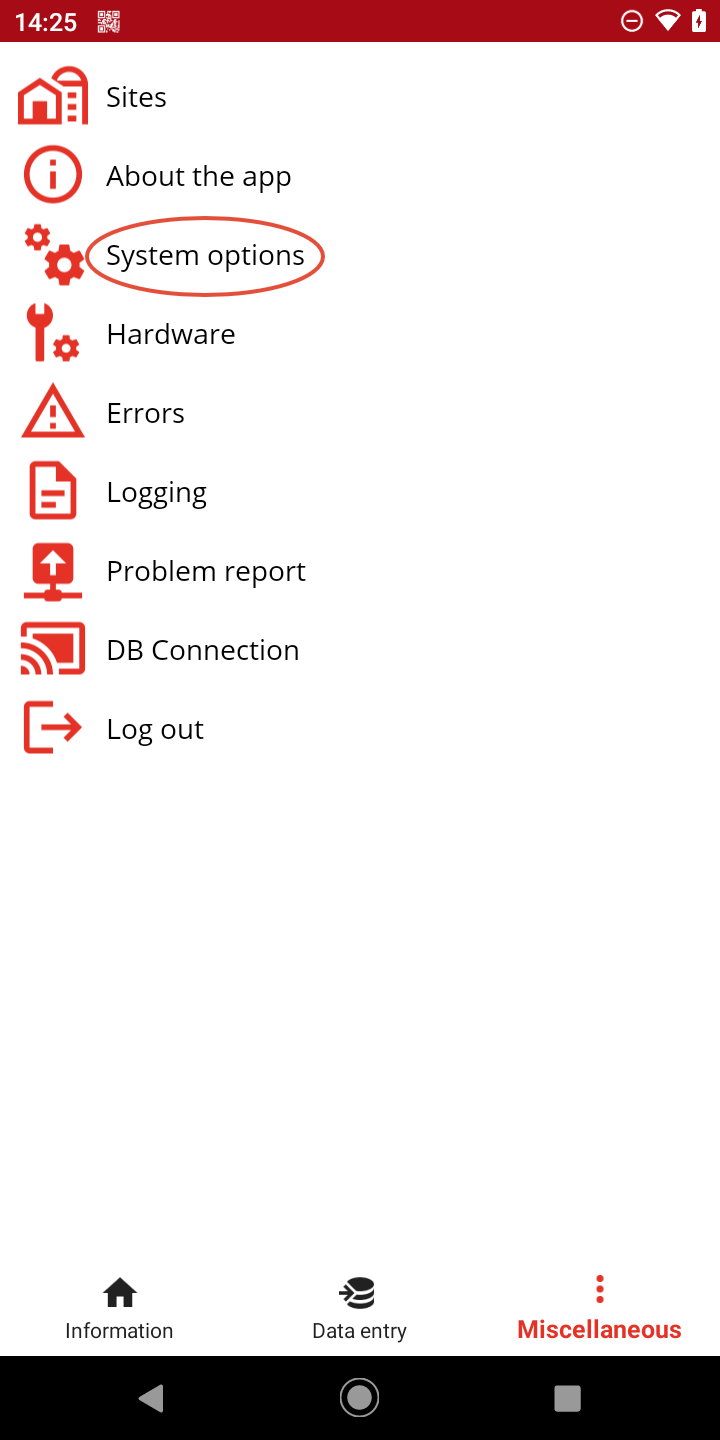
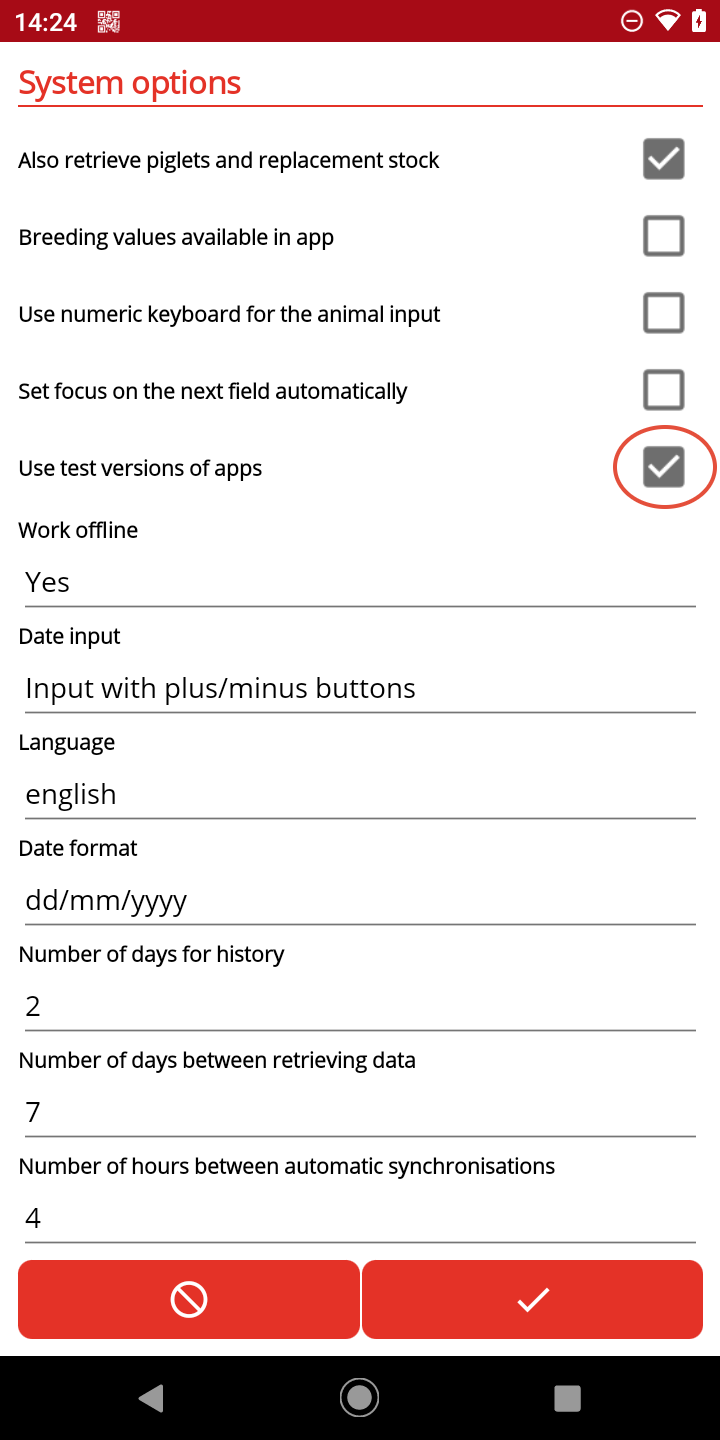
You can update the PigExpert app directly from within the app.
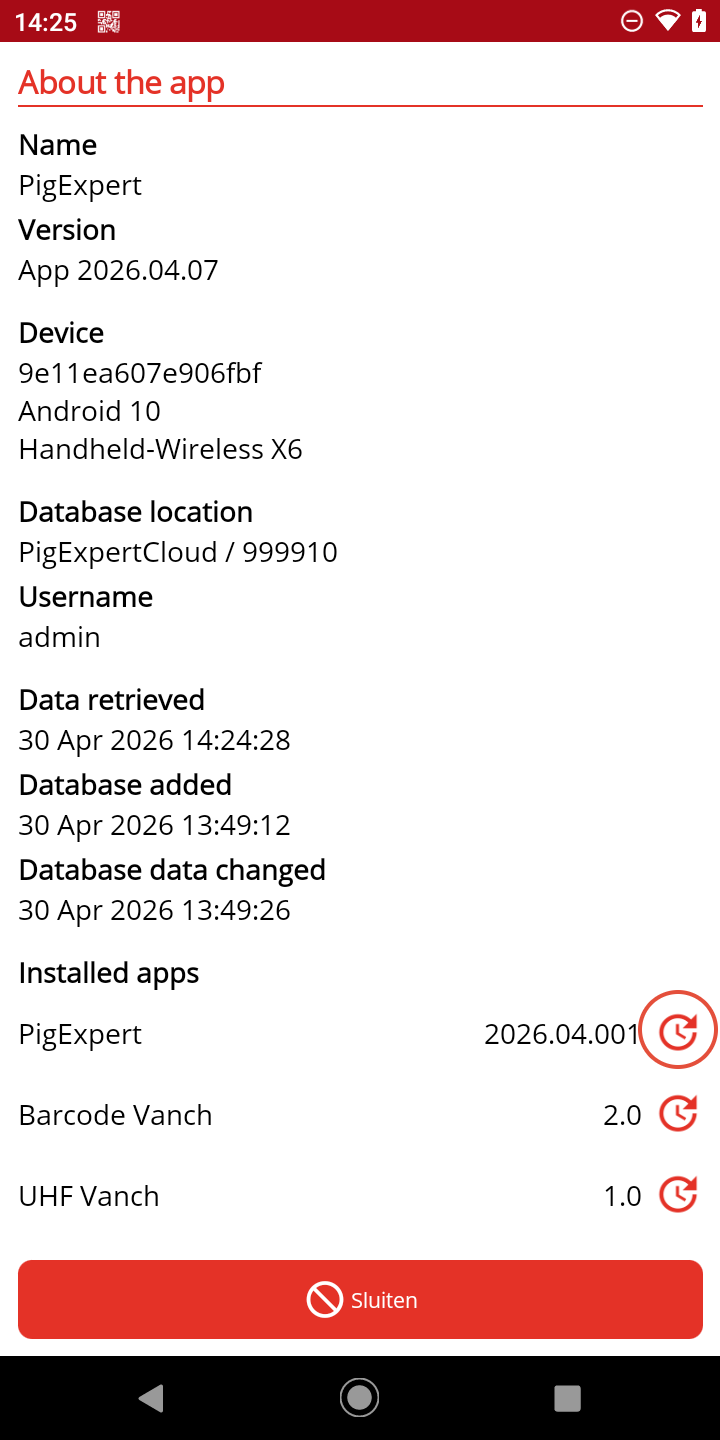
Go to Miscellaneous -> About the App
Tap the clock icon next to the PigExpert version number.
If no new version is available, you’ll see a notification here. If a new version is available, you can install it.
Install the Beta version
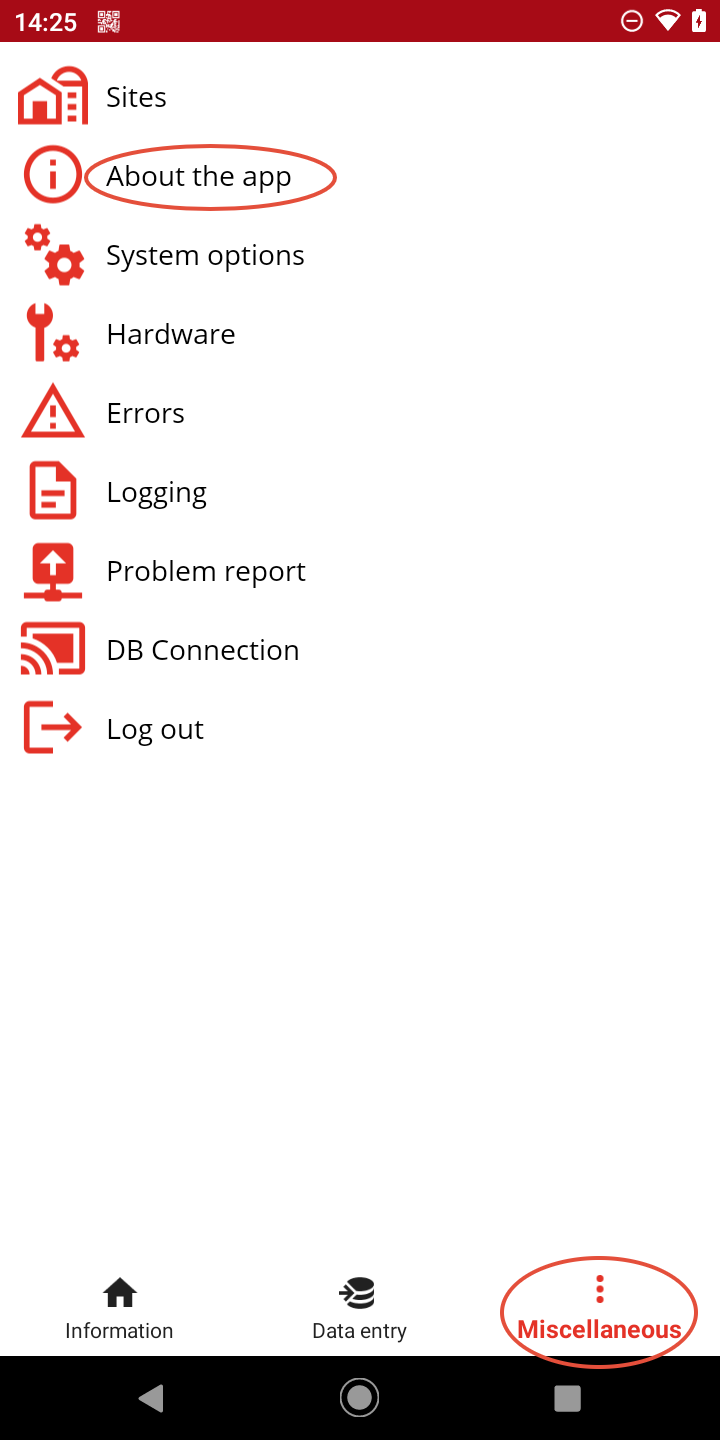
If you want to install the beta version of the app, go to:
Miscellaneous -> System options.
Check the “Use Test Versions of Apps” option.
Click Save.
You can now update the app as described above.