
It may happen that an employee or colleague uses a Email address, to log into PigExpert, that does not actually exist.
In that case, you need to change the email address to an existing email address.
The steps below describe how you can do this.
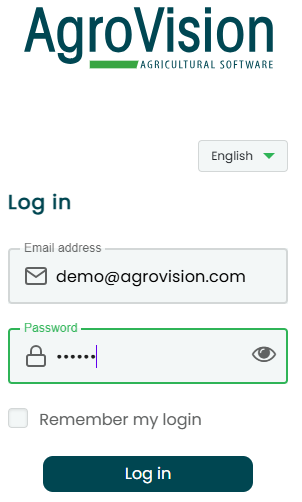
- Go to my.agrovision.com.
Enter the email address (the fictitious email address).
Enter the corresponding password. (Click here for a description of how to find your password: Register for MyAgrovision).
Click on Login.
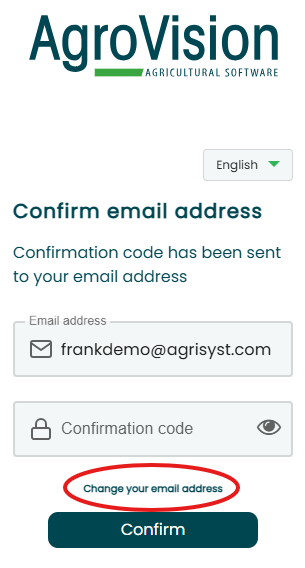
- An email with a confirmation code has just been sent, but you cannot receive it at the fictitious email address.
Therefore, click on the button: Change your email address.
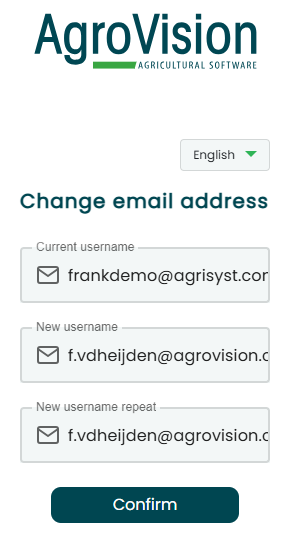
- Enter a valid email address on this page.
Then click on confirm.
You will now receive a confirmation email in your inbox.
- After you have accepted the confirmation email, you can repeat the steps for registering for MyAgrovision.