
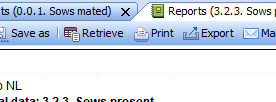
Printing is easy: simply click the Print button in the toolbar.
The report you retrieved will then be sent to your local printer setup and will be ready for printing.
If printing does not work, please contact your system administrator.
Note:
When printing work lists (except for the work schedule), a number is assigned to the document. You will find this number at the top right of the list.
The list number can be used during data entry to go through the animals without typing in the numbers. For this, use the shortcut keys “Previous” and “Next.”
See also: Working lists