
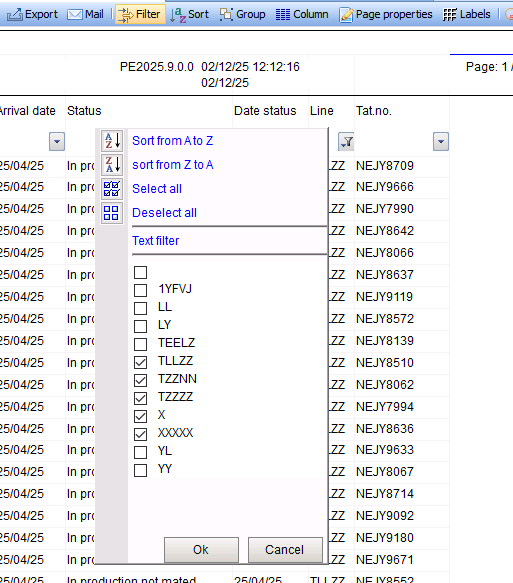
After a report has been displayed on the screen, you can filter the data. By clicking the Filter button in the menu, an arrow button is added to the header of each column. Clicking this button will display the screen shown below.
Note:
A filter that has been set will be lost when you close the report. A filter cannot be saved.
Sort from low to high or high to low (A > Z or Z > A):
The available values are sorted from low to high or high to low.
Select All
All available values are selected. No filtering will occur when you click OK.
Select None
None of the available values are selected. The report will be empty when you click OK.
Advanced Filtering
Filtering is done by entering the column name with a range.
Available Values
The available values are all the values that appear in the corresponding column of the report. If a value appears multiple times, it is shown only once. After clicking OK, only the rows with the selected values will be displayed.