It is possible to change the name of an overview or translate it into multiple languages.
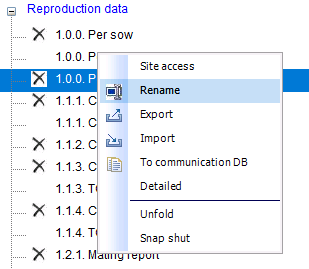
Right-click on an overview and select Rename.
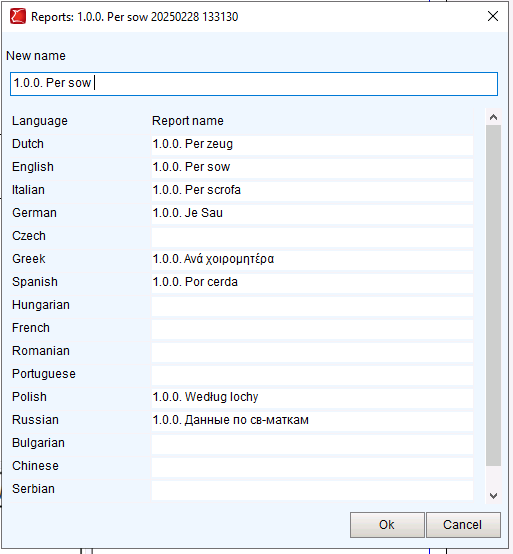
Then change the name of the overview or add a translation.
Click OK to save

Modified on: Tue, 2 Dec, 2025 at 11:37 AM
It is possible to change the name of an overview or translate it into multiple languages.
Right-click on an overview and select Rename.
Then change the name of the overview or add a translation.
Click OK to save
Did you find it helpful? Yes No
Send feedback