
It is possible to register an entry event with the same data for multiple animals at the same time in an animal data overview.
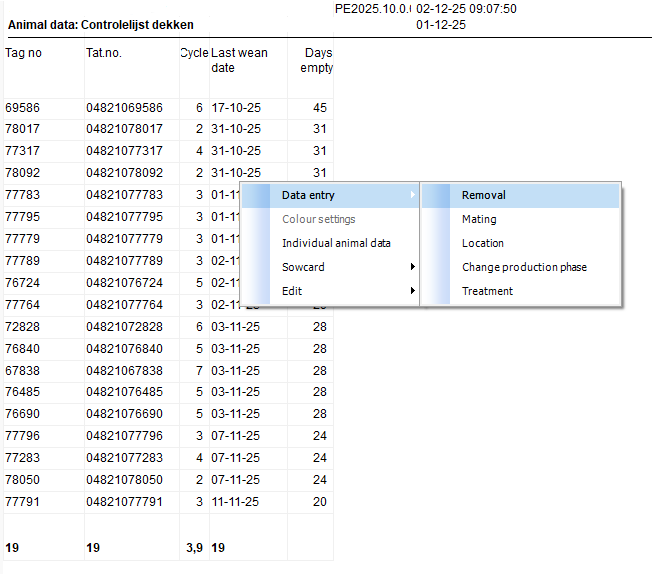
To do this, right-click in the overview, select data entry, and then select the event you want to enter.
You can choose from the following events: Removal, Mating, Location, Change production phase, Treatment.
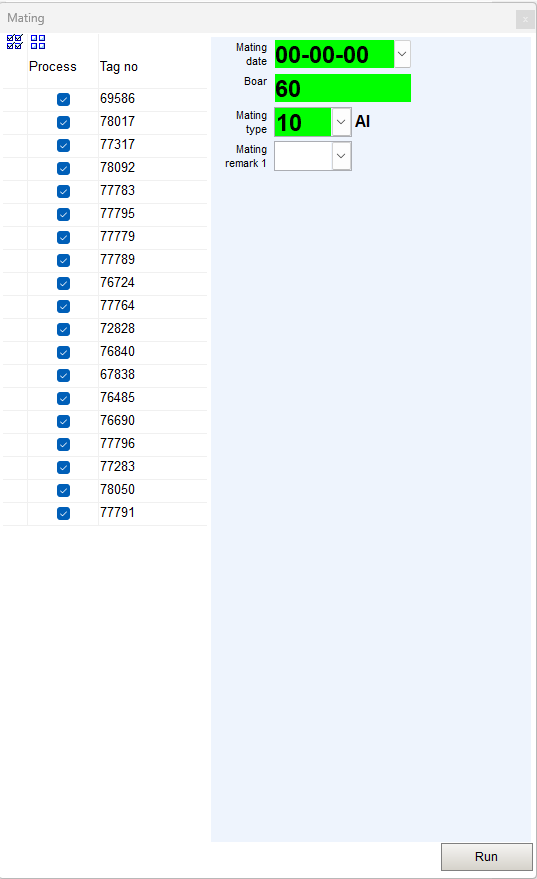
In the pop-up that opens, you will see the animals from the overview. You can deselect them if you do not want to enter data for some animals.
You will also see the input fields that you can fill in for the event. The data you enter here applies to all animals that will be processed.
Then click Run to execute the action.
Once the action has been performed, a green check mark or red cross will appear next to each animal, indicating whether the action was completed successfully.
Hover your mouse over the red cross to see the reason why the action could not be performed.
