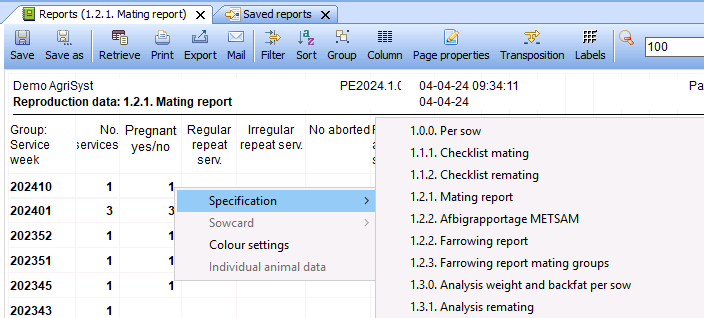
When working with a grouped cycle report, it is possible to more specifically analyze a specific group within the report. This can be used to identify differences per cycle, per used boar or check for sows that have been remated multiple times.
After retrieving a cycle report, right click on the group you want to specify further, press “Specification” and choose the specified report. This will open a separate window with the specified reports. It is possible to specify the new report even further to narrow down the information you are looking for.