
Step 1: Press the “Group” button

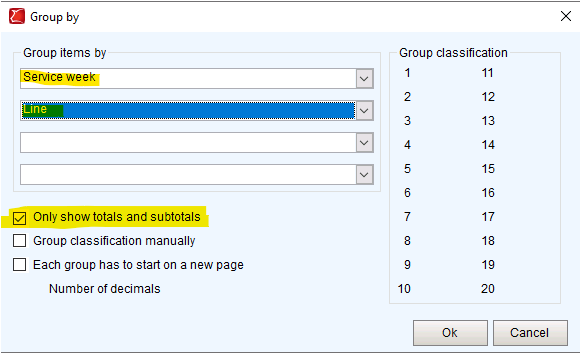
Step 2: Select the value (dates, KPI’s, traits) you want to group by under “Group items by”
Step 3: Decide if individual animals should show on the report or if only the totals / subtotals should show by checking or unchecking the respective box.
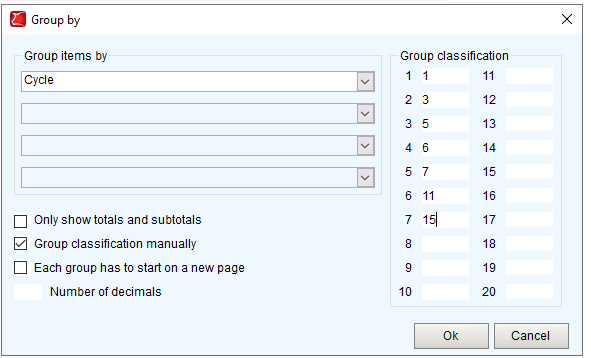
Group classification manually:
This option allows you to combine multiple groups into a subtotal. This is only possible if one grouping value has been selected.
The group classification can be entered on the right-hand side.
IMPORTANT:
When grouping a report, ensure that the selections in sorting are identical to the selections in grouping. PigExpert will group the information based on the sorted values. When grouping and sorting are not identical some groups can be split into multiple groups which can result in skewed numbers.
More information about sorting the overview: Adjust the sorting of the data
Don't forget to save changes to an overview by clicking Save or Save As in the toolbar.