
The columns and column width can be changed on most overviews. When columns are added, the information does not need to be retrieved again; it is immediately available.
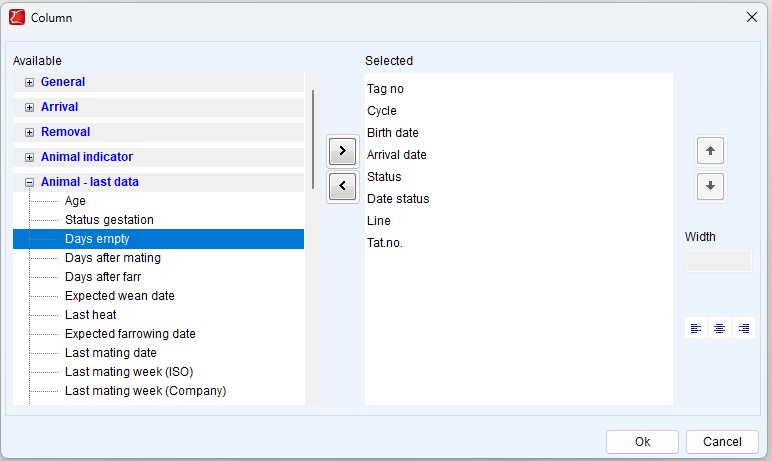
Available columns
Shows the columns that can be displayed on the overview. A column can only appear once on the overview.
Selected columns
Shows the columns that are selected and therefore visible on the overview.
Select >
This moves the marked, available columns to the selected columns. The columns become visible on the overview.
Deselect <
This moves the marked, selected columns to the available columns. These columns are then no longer visible on the overview.
Move columns ⬆ / ⬇
The selected column is moved up or down. A maximum of one column can be selected.
Tip: You can also drag and drop columns between available and selected or up and down.
Width
Here you can change the width of the selected column. The width is specified in pixels.
Don't forget to save changes to an overview by clicking Save or Save As in the toolbar.