
To create a new feed code, go to:
Setup -> Codes -> Accounts.
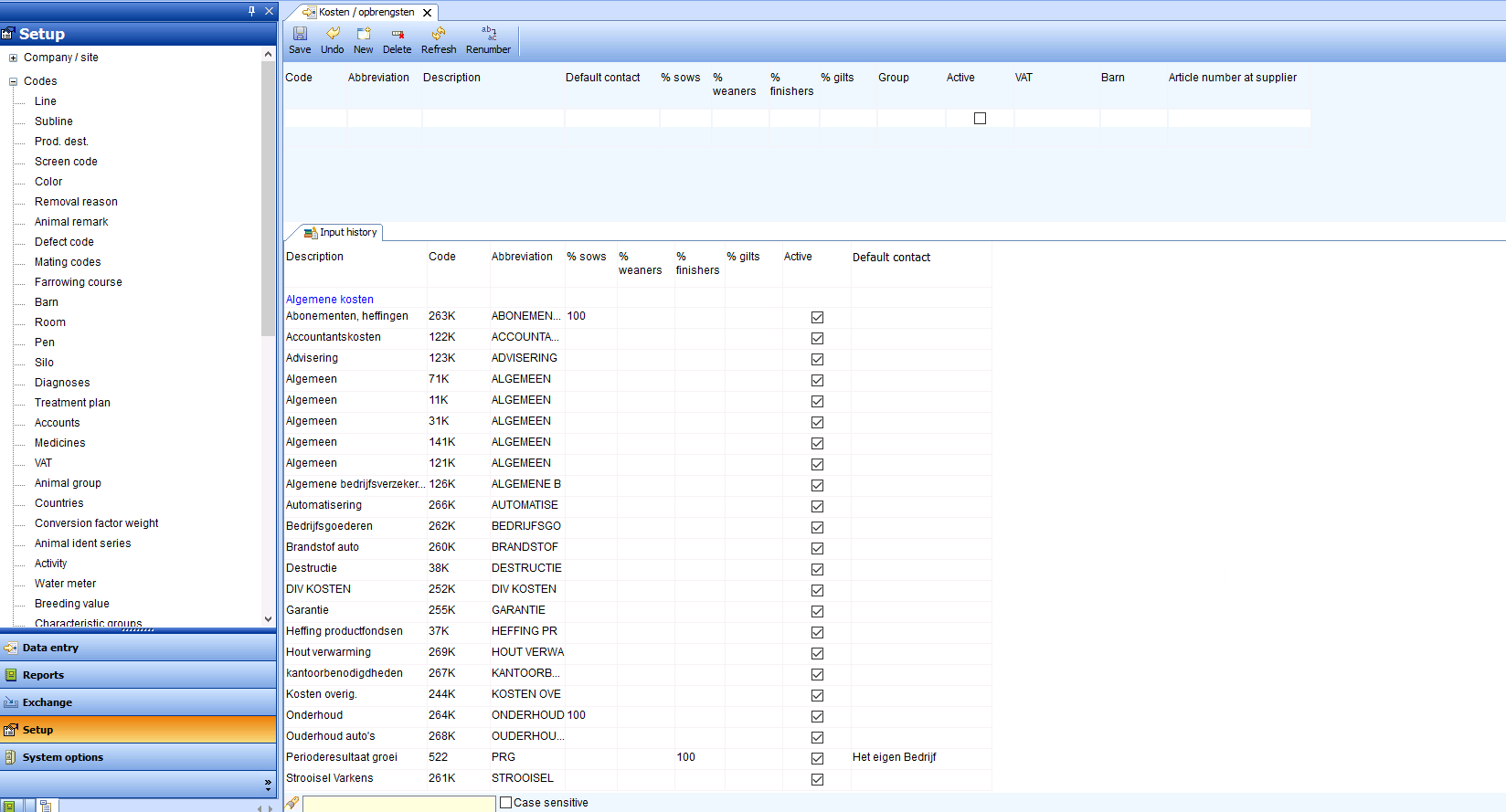
Fill in (italicized descriptions are optional, This default value can also be adjusted when entering a feed delivery.):
- Code: numerical code for recording in the program. This is a serial number and can be any number that is not already in use.
- Abbreviation: short (search) name of the feed type
- Description: full name of the feed type
- Default relationship: default supplier of the feed type
- % per animal type: the animal type to which the feed must be allocated. The sum of the percentages must always be 100%, but it is possible, for example, to allocate 25% to piglet rearing and 75% to fattening pigs if this is a fixed distribution.
- Group: select the type of costs, for example starter feed or lacto
- In use: check the box if the code is in use.
- VAT: select the correct VAT code
- Barn: fill in the barn where the feed is used
- Supplier article number: if the feed is imported via EDI invoice, this field is mandatory;
- Price excluding VAT: the price of the feed excluding VAT, which can be entered per 100 kg or per kg DM.
- Price per: choose whether the price entered is per 100 kg or per kg DM
- EW based on: choose whether the EW value is based on KG product, kg DM, or 88% DM
- Standard EW value: enter the standard EW value of the feed based on KG product, kg DM, or 88% DM..
Once a feed type has been created, it does not need to be created again the next time.
If the data changes over time, the code can be edited so that future entries are made based on the correct data. To edit a feed code: click on the code and adjust the desired data. Then save the changes. To ensure that the data is processed correctly, it is advisable to reopen the “Company data” tab.
