Guide on using wildcards in the field “New ID” and tattooing piglets
Wild cards “new ID”:
The following wild cards can be used in the input field “New ID” in different events. This can be used for example to change the ID of removed animals. Here the possible wildcards that can be used:
# = animal ID
% = internal animal number (administratief dier_id)
~~ = year of birth
^^ = current year
This means what if you give the sow 100 the new ID: #X^^~~ the new ID will be shown as: 100X2317 when current year is 2023
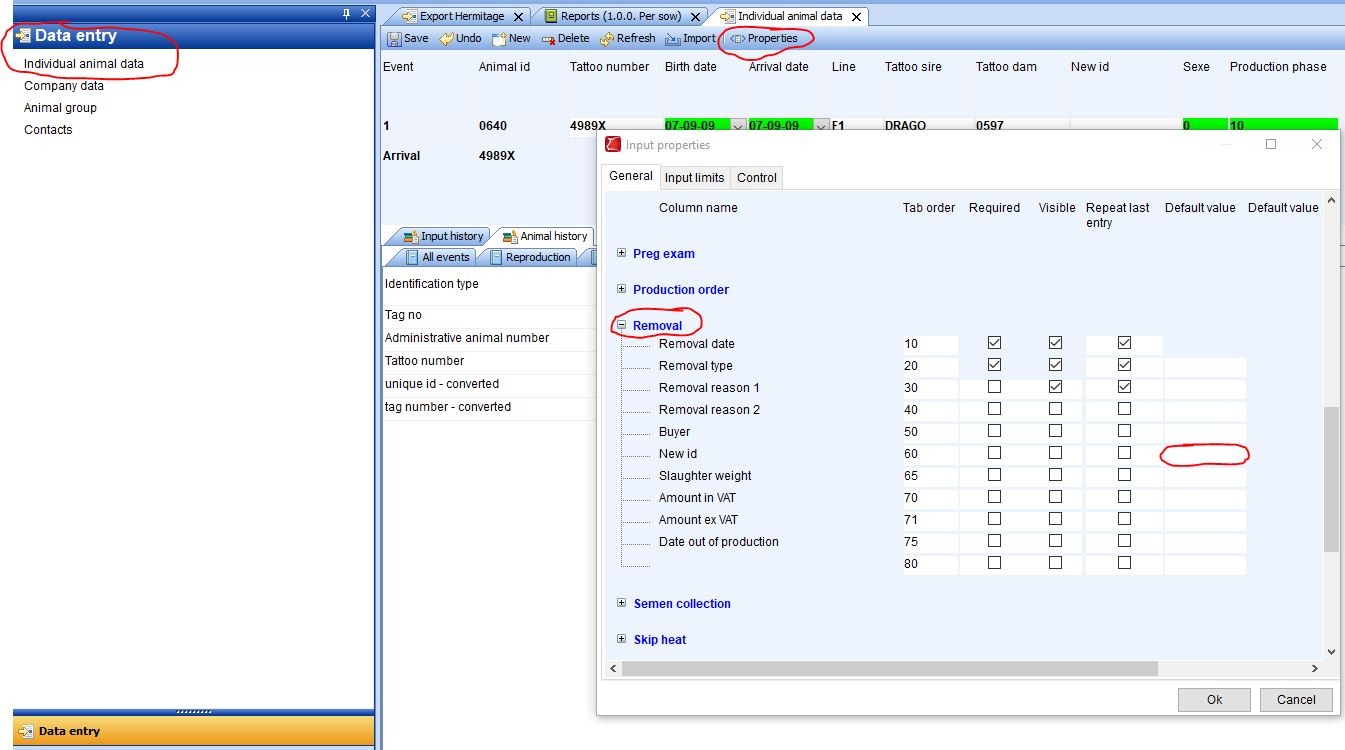
This can be setup as a standard setting by going to “Data entry” → “Properties” → “Removal”. Here you find the field “New ID” where you can setup the wildcards under “Default value”
Wild cards “tattooing piglets”:
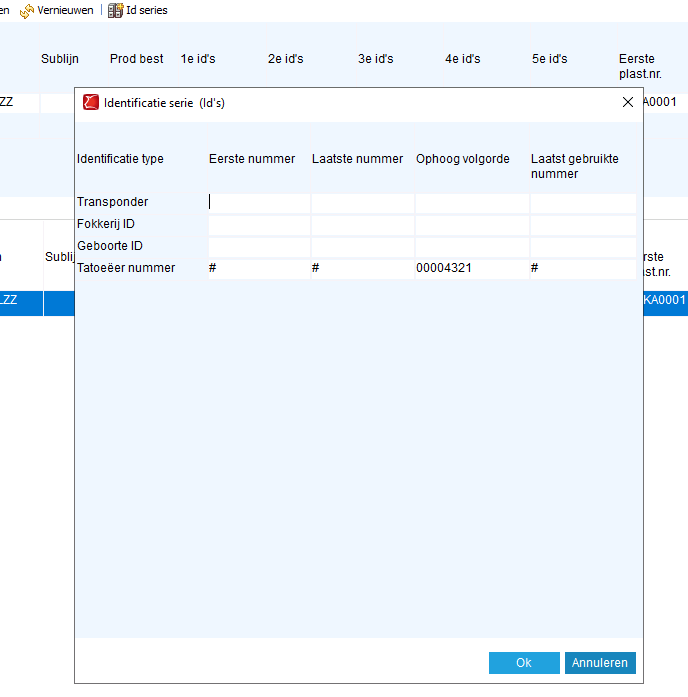
The following wildcards can be used when creating a tattoo series.
The wildcards can be applied in the pop-up: ID series.
# = Animal ID
+ = X*0 followed by Animal ID (X being 25 - the amount of positions in the animal ID)
transponders only; UHF aanvullen tot 25 karakters
~~ = year of birth
^ = Litter number as entered at the farrowing. The amount of ^ defines how many positions from the litter number are used, starting from the left. This wildcard only works for the tattoo number
! = Tattoo litter as entered at the farrowing. The amount of ! defines how many positions from the litter number are used, starting from the left. This wildcard only works for the tattoo number