PigExpert offers the option of recording continuous animal administration and group administration.
Entries for both types of administration are made from the same entry event.
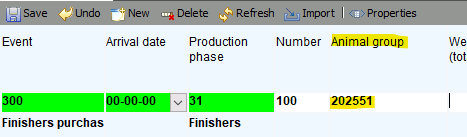
When recording group administration, the group number is added here.
Select the event you want to enter under Data entry -> Company data.
Ensure that the “Animal group” field is visible and, if necessary, marked as required.
For an explanation of how to make input fields visible, see: Input properties
Enter the animal group name during input. This can contain letters and numbers.
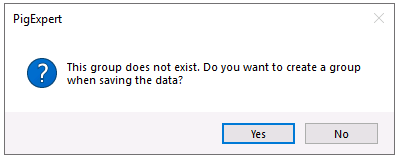
If the animal group does not yet exist, PigExpert will ask whether the animal group should be created. Click YES.
Save the event as usual.
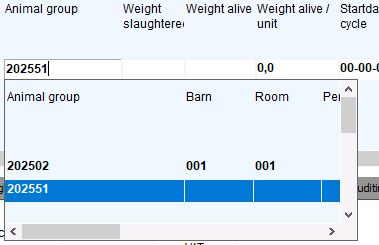
If you want to save more events in this group, the group name will be visible in the dropdown list.
When you select an existing group, PigExpert will fill in the location of the group itself. In the case of a removal event, the available arrival dates will also be limited to the arrival dates from the group.
If animals are removed from the group, reducing the number to fewer than 5 animals, PigExpert will ask if you want to close the group.
Animal group history
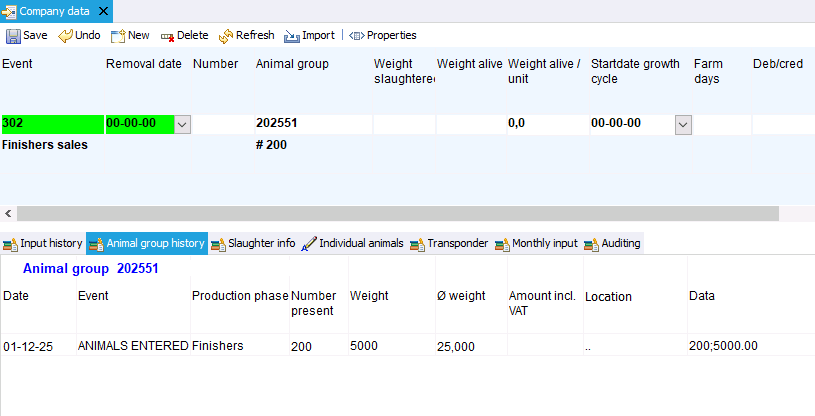
When a group has been filled in the group field, it is possible to view all events from that group by clicking on the Animal Group history tab next to the Input history tab.
Here, all events entered in the group can be viewed and, if necessary, changed.