
To use the health module, you need to create several codes. Below is a description of how to create these codes.
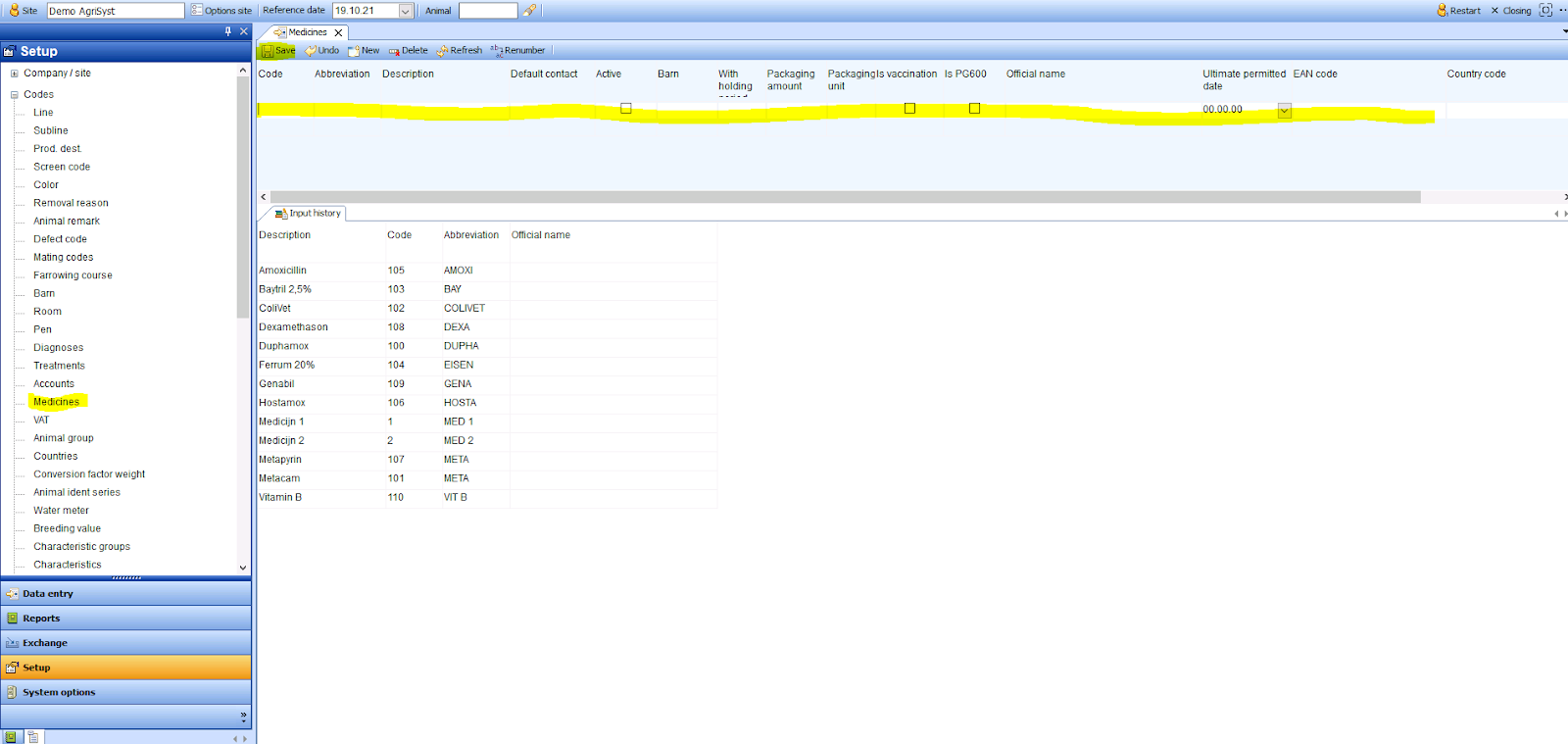
Medication
Go to Setup → Codes and then click Medicines. Then all known information of the medicine can be registered here. Press save to confirm your entry.
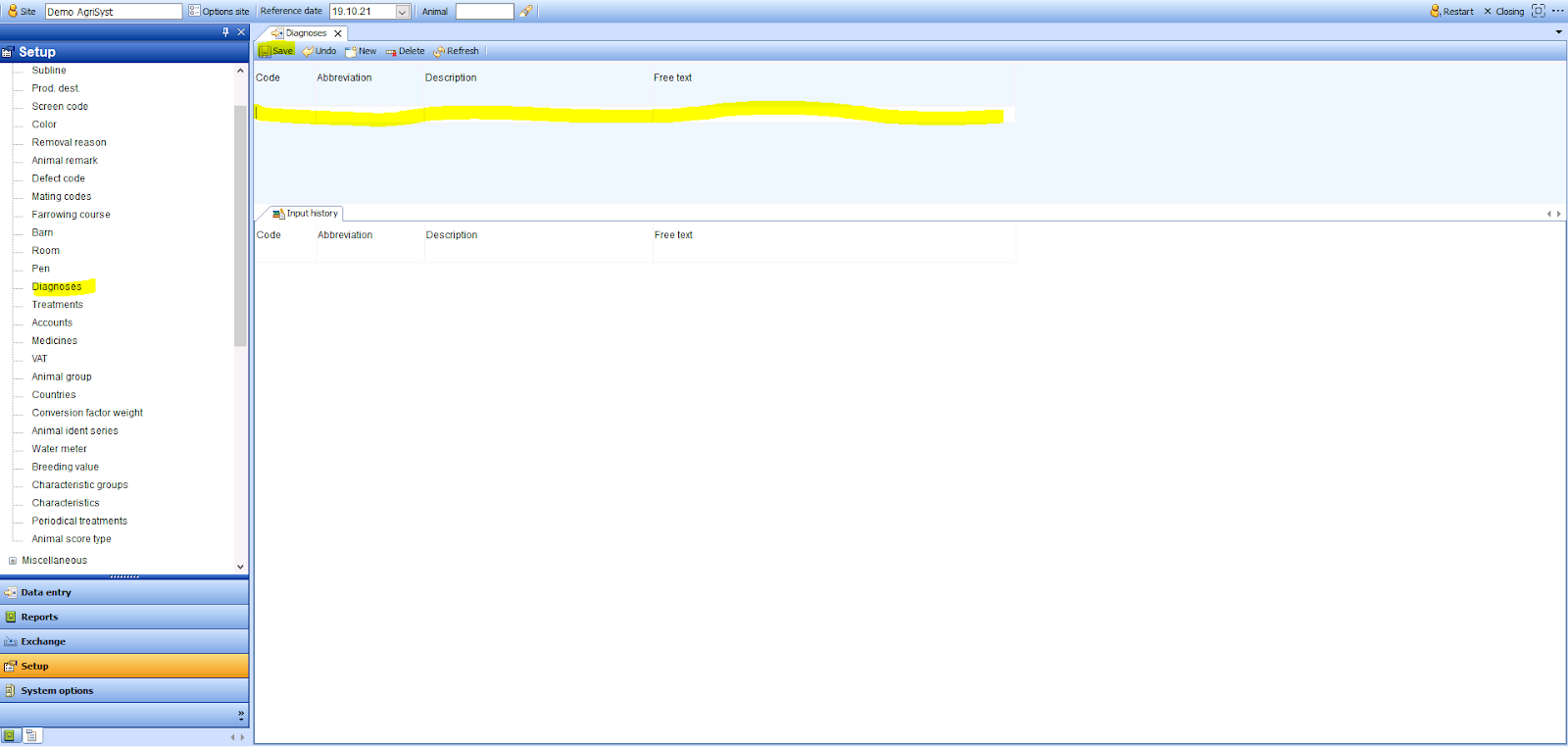
Diagnoses:
Go to Setup → Codes and then click Diagnoses. Then all the information of the diagnosis can be registered here. Press save to confirm your entry.
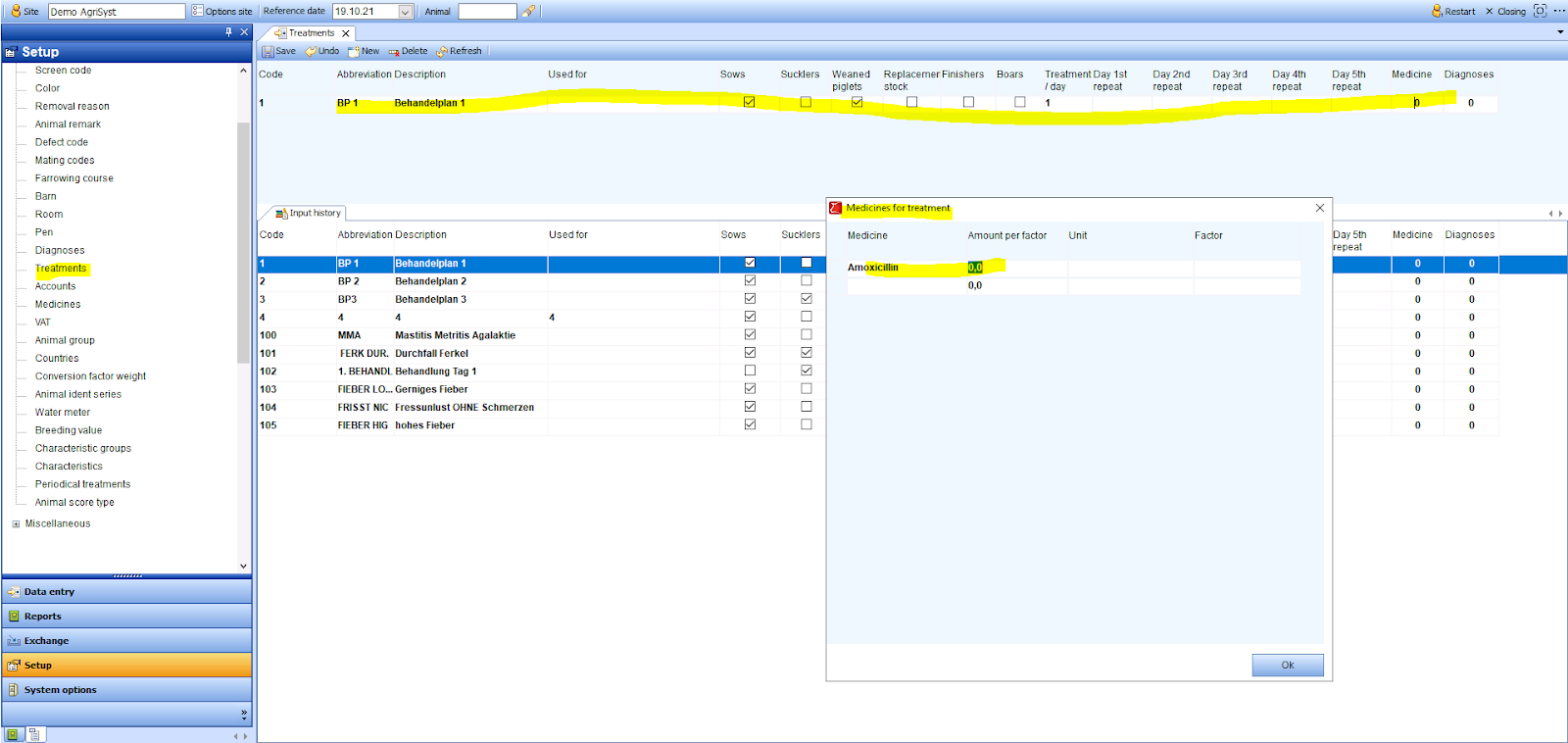
Treatments
Go to Setup → Codes and then clcik Treatments. Then all the information for the treatment plan can be entered here. When in the medicine and diagnosis input fields, press space to link a previously created medicine and diagnosis to this treatment plan. Press Save to confirm your entries.
After creating the codes, you need to create the cost types. For an explanation of this, go to: Creating a cost type for medicines